After signing: signed PDF, validation, activity log
What happens when everyone has signed, where to find the signed PDF, and how to prove who signed when.
Written By Sebastian
Last updated About 3 hours ago
When the last signatory has signed, the document is complete. fynk stores the signed PDF, sends it to everyone involved, and keeps a record of the signing process.
Available on all plans
What happens automatically
The document moves to the Done stage and becomes read-only.
All parties and CC recipients receive the signed PDF by email.
The signing date is saved as metadata. Dates such as contract start, end and notice period start feeding your reminders and calendar.
Download the signed PDF
Open the document and click Download PDF in the header, or choose ⋯ → Download PDF. You can also export many signed documents at once from the document list. See Export documents and metadata.
How signatures are secured
Every signature is embedded in the PDF as a digital certificate. The signed PDF is long-term verifiable (LTV).
Signature times are recorded in UTC.
If your headers and footers use the PDF variables, each page can also show a checksum, the version date and the signature type. See Headers and footers.
Verify a signed PDF
Download the signed PDF and use the RTR signature checker to check its digital signatures. Follow the checker’s instructions and review the result for each signature.
You can also inspect signatures in a desktop PDF reader that supports digital signature validation. Adobe Acrobat Reader may show an unverified or invalid-signature message for some documents; if that happens, check the original downloaded PDF with RTR and contact support if the result remains unclear. Browser PDF viewers may not show signature verification details.
The activity log
The document's activity feed shows the signing history: when invitations and reminders were sent, when the document was opened and when each signatory signed. Internal users see the full feed; external parties see a reduced version.
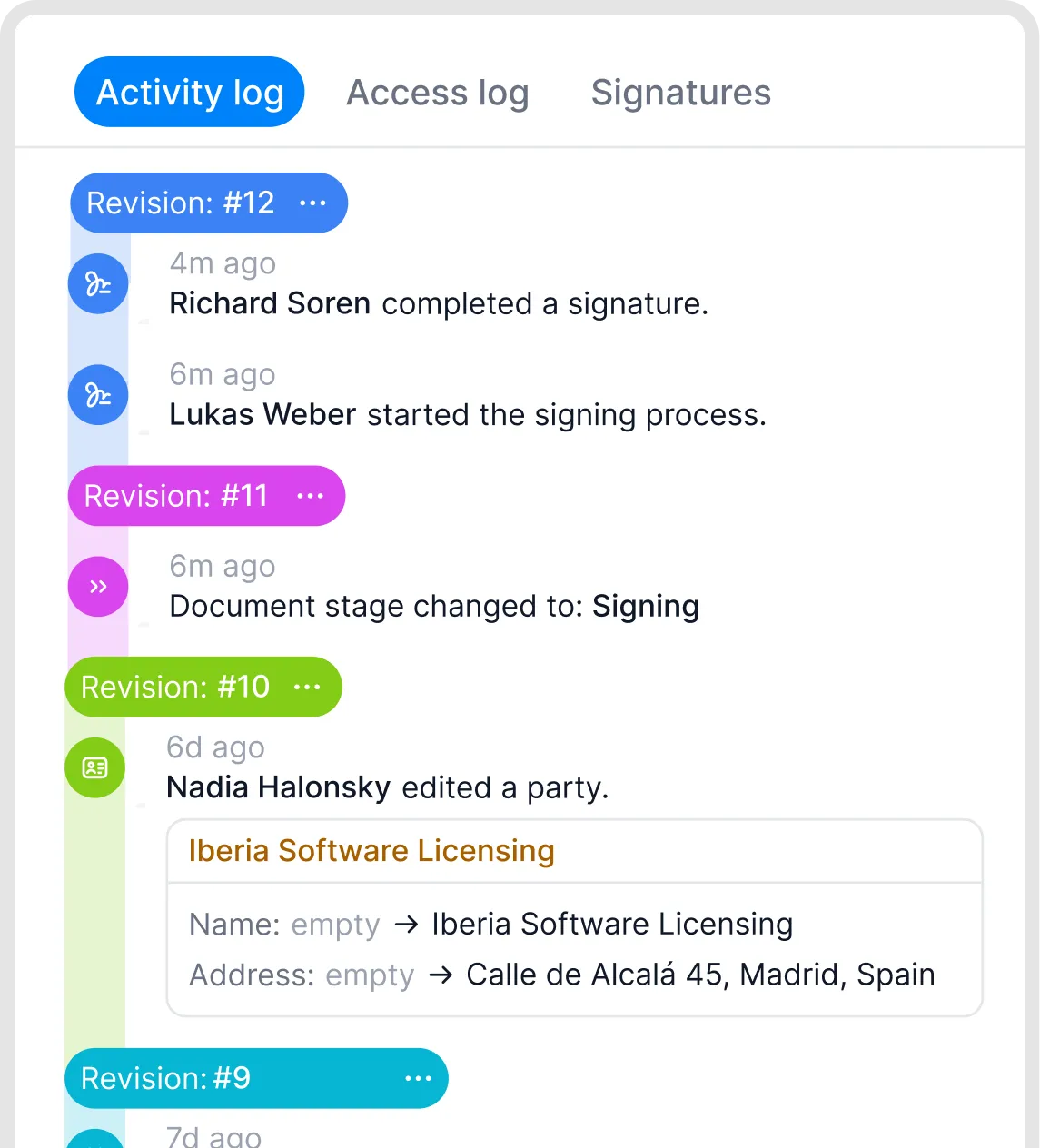
Activity records for a document.
Good to know
A signed document can't be changed. For changes, create an amendment as a new document and link it to the original. See Attachments, file storage and linked documents.
A separate certificate of completion (audit trail page) isn't available yet. The signed PDF with its embedded signatures is the proof of signing.
The audit information doesn't include IP addresses or full phone numbers.
Until the document is fully signed, a downloaded PDF shows only one signature block per party. Signatories are only added once they sign, so they can still be changed. After completion, all signatories appear.
Related articles
Was this helpful?
Still need help? Ask the team