Attachments, file storage and linked documents
Three ways to add related files to a contract: what each one is for, who can see it and what the AI reads.
Written By Sebastian
Last updated About 3 hours ago
A contract rarely comes alone. There are annexes, amendments, offers and internal notes. fynk has three places for them, and each works differently.
Available on all plans
At a glance
Attachments
Add attachments to a document or template while preparing it. They are sent with the document, shown to the other party and signed together with it.
Attachments added to a template are copied into every document created from it, as fixed files.
Attachments must be PDF files. Other formats, including PNG, JPEG, Excel files and emails, belong in file storage and are not signed with the document.
External parties can't add attachments.
When the document is fully signed, its attachments are sent to all collaborators together with the main document.
Signature blocks can be placed only in the main document, not on attachments. Attachments are nevertheless digitally signed along with the document.
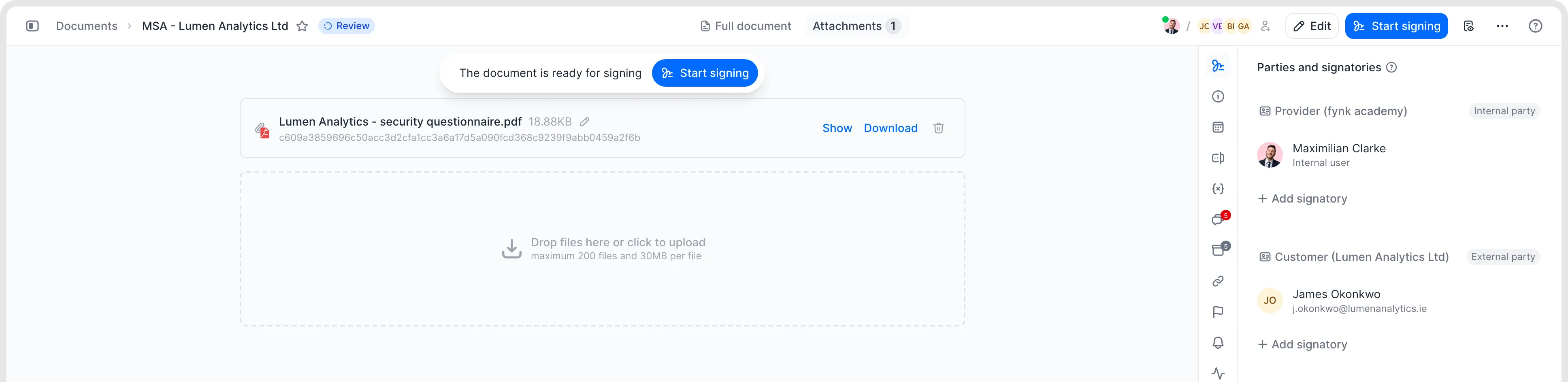
Add PDF attachments in the document’s Attachments tab.
File storage
Use a document's file storage for internal files that shouldn't go to the other party. Only internal users with access to the document can see them.
Password-protected PDFs can be uploaded to file storage, but cannot be viewed inside fynk. Uploading and unlocking a PDF as a document is a separate workflow.
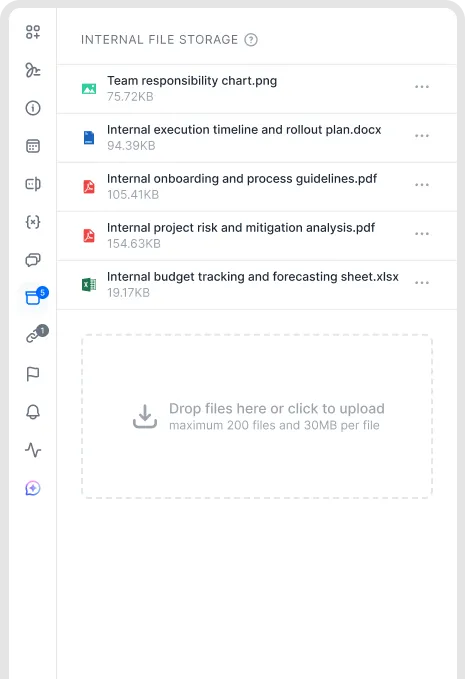
Internal file storage for supporting files.
Linked documents
Link documents that belong together, such as a framework agreement and its orders, or a contract and its amendments.
Open Linked documents in the right-hand sidebar and click Add linked document.
Choose the Relationship to the linked document…, for example Is parent document of, Is supplemented with content from or Is replaced by.
Search for the document or party name, choose the document and click Save.
Links work in both directions: the linked document shows the link too. To change the relation, remove the link and add it again with the right relation.
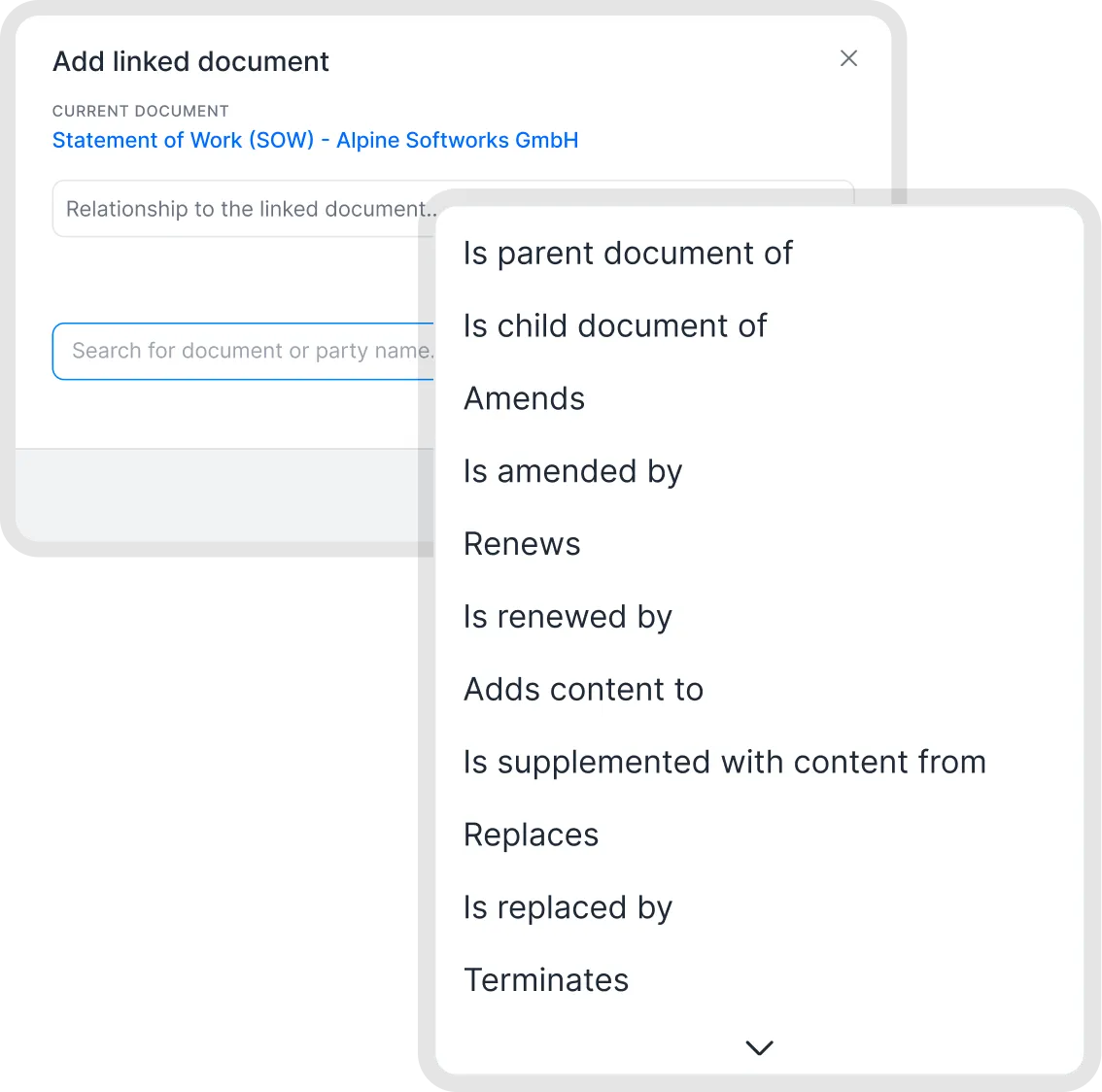
Link related documents.
Which one should I use?
Does the other party need to see and sign it as part of the contract? Use an attachment.
Is it internal background only? Use file storage.
Is it a contract of its own, with its own dates and metadata? Upload it as a separate document and link it.
Amendments and the main contract
Linking an amendment doesn't update the main contract. fynk doesn't change the main contract's end date or status, and it doesn't group related documents automatically. The relationship does not merge the documents or replace their stored metadata.
You can display metadata from a linked document on another linked document, together with links to the source. The linked document's value is shown, while the receiving document's existing value is preserved and remains visible as the original value. For example, you can show an amendment's updated value while still seeing the original contract's value.
Good to know
Search and the AI only cover the main document. If an annex contains important terms, such as prices or deadlines, upload it as a linked document instead.
You can't turn an attachment into a separate document later. Upload the file again as a new document and link it.
For very large PDFs with many images, put the images in an attachment to keep the main document processable.
Related articles
Was this helpful?
Still need help? Ask the team