Dynamic fields, metadata or tags: which to use
Three ways to store information about a contract, and when each one is the right choice.
Written By Sebastian
Last updated About 3 hours ago
fynk has three ways to add information to a document. They look similar, but they do different jobs. Choosing the right one early saves rework when you build templates and reports.
Available on all plans
At a glance
Dynamic fields
Use dynamic fields when you create contracts from templates. They put the right values into the contract text, such as the customer's name or the agreed price, and can control which clauses appear. See Dynamic fields: types, visibility, mandatory fields.
Dynamic fields can also be dragged onto uploaded PDFs prepared for signing, with a placement aid to help position them. You can't filter the document list directly by dynamic fields; link them to metadata for filtering and reporting.
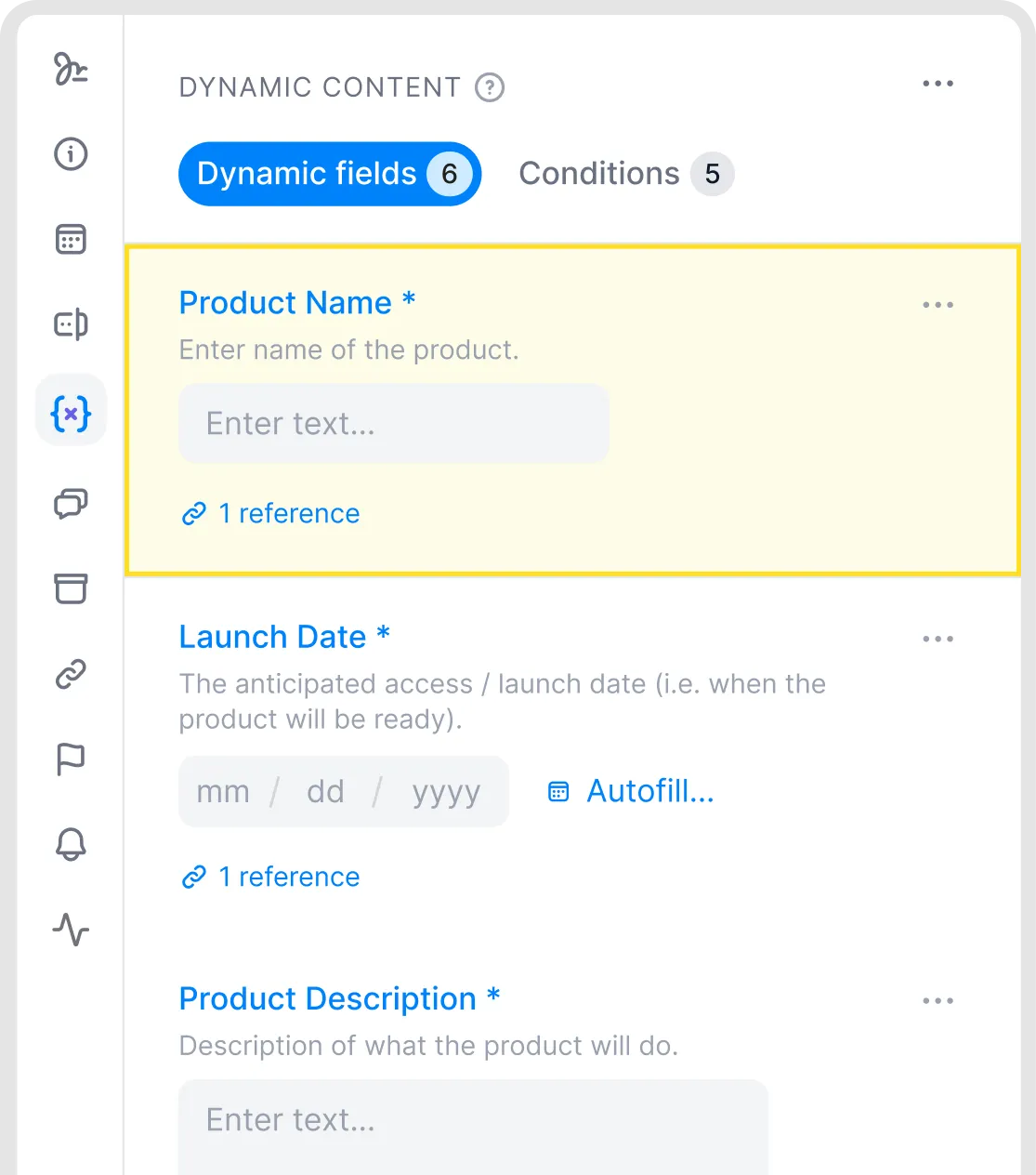
Dynamic fields in a template.
Metadata
Use metadata for anything you want to track, filter, report on or be reminded about. The AI fills metadata in when it analyses a document, both for imported PDFs and for documents created in fynk. See Metadata explained.
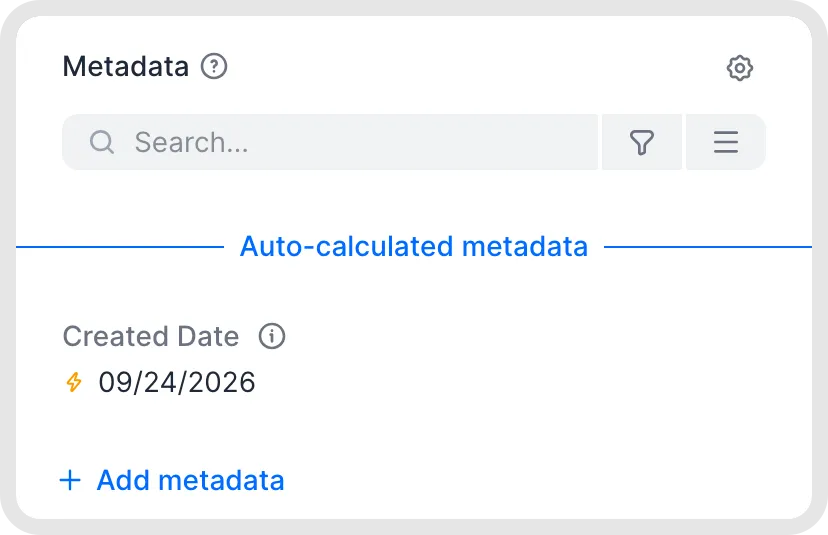
View metadata in the document sidebar.
Tags
Use tags for quick, visual grouping that the AI doesn't need to find in the text, for example a department, a project or a status that's internal to your team. Keep the list short: tags work best for a small, fixed set of labels. See Organise documents without folders.
Use dynamic fields and metadata together
In a template, you can link a dynamic field to a metadata field. When the document is filled in, the value is copied into the metadata automatically. That way, the price you enter in the contract also shows up in reports, and the end date you enter sets up the reminders.
To link a field, click ⋯ next to the metadata and choose Link to dynamic field. To remove an existing link, choose Unlink dynamic field. For system-calculated metadata, choose Set manually to enter your own value. To return to the calculated value, choose Use auto-calculated value; the menu also shows the value that will be used.
A dynamic field links to metadata of the same type. Any field except Select and Multi-line text can also link to Text metadata, and Select fields can link to Multi-line text metadata.
Good to know
If you need a value both in the contract text and in reports, use a dynamic field linked to metadata, not two separate fields.
If a value comes from the document itself, use metadata so the AI can find it. The AI Assistant can assign tags, but document AI analysis does not.
If you'd like folders, use teams for access and tags for grouping. See Organise documents without folders.
Related articles
Was this helpful?
Still need help? Ask the team