Organise documents without folders
fynk has no folders. Here's how teams, tags, document types and saved views give you a better structure.
Written By Sebastian
Last updated About 3 hours ago
fynk doesn't use folders. A document can only sit in one folder, but it can belong to several teams, carry several tags and show up in many views at once. Once set up, this lets everyone find the same contract from the angle they need: by department, by customer, by type or by deadline.
Available on all plans · Teams and document types are set up by Owners and Admins
Replace folders with these four tools
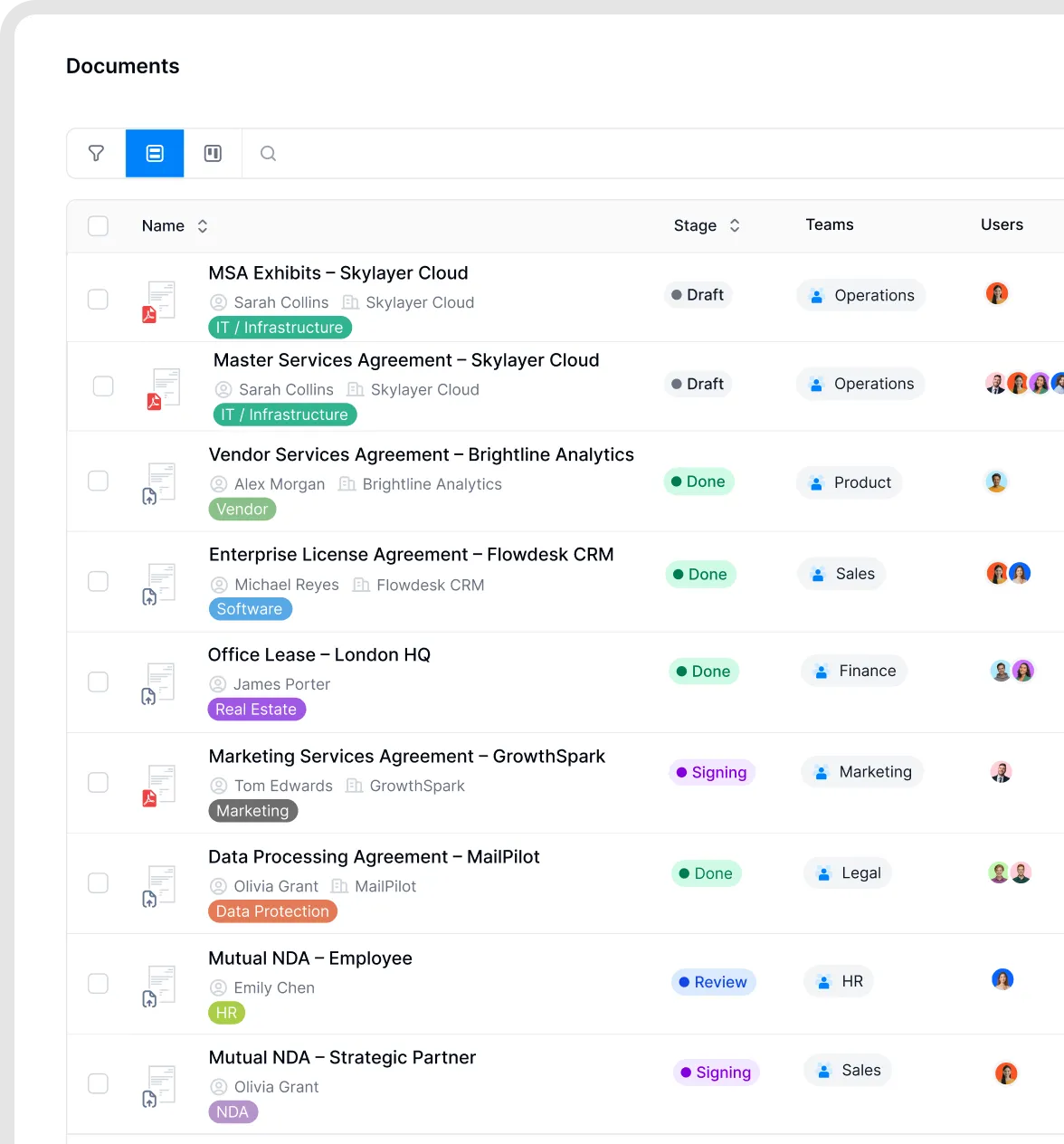
Document list with tags.
Why this helps
You can find the same contract through several views without creating duplicate copies. Teams control access, while tags and metadata describe the contract from different angles. Saved views update as documents start or stop matching their filters, so lists such as upcoming renewals stay current without moving files between folders.
Example setup
A company with several departments might set it up like this:
Teams for each department: Sales, Purchasing, HR, Legal. Documents are assigned to the team that owns them.
Document types for the main contract kinds, with unused types turned off.
A few tags for cross-cutting labels, such as "Framework agreement" or "Strategic supplier".
Saved views for recurring questions, such as "Purchasing · notice date in the next 90 days".
Keep related documents together
To keep a main contract together with its amendments, annexes or orders, link them to each other. Linked documents show up on each other's page, so you can move between them in one click. See Attachments, file storage and linked documents.
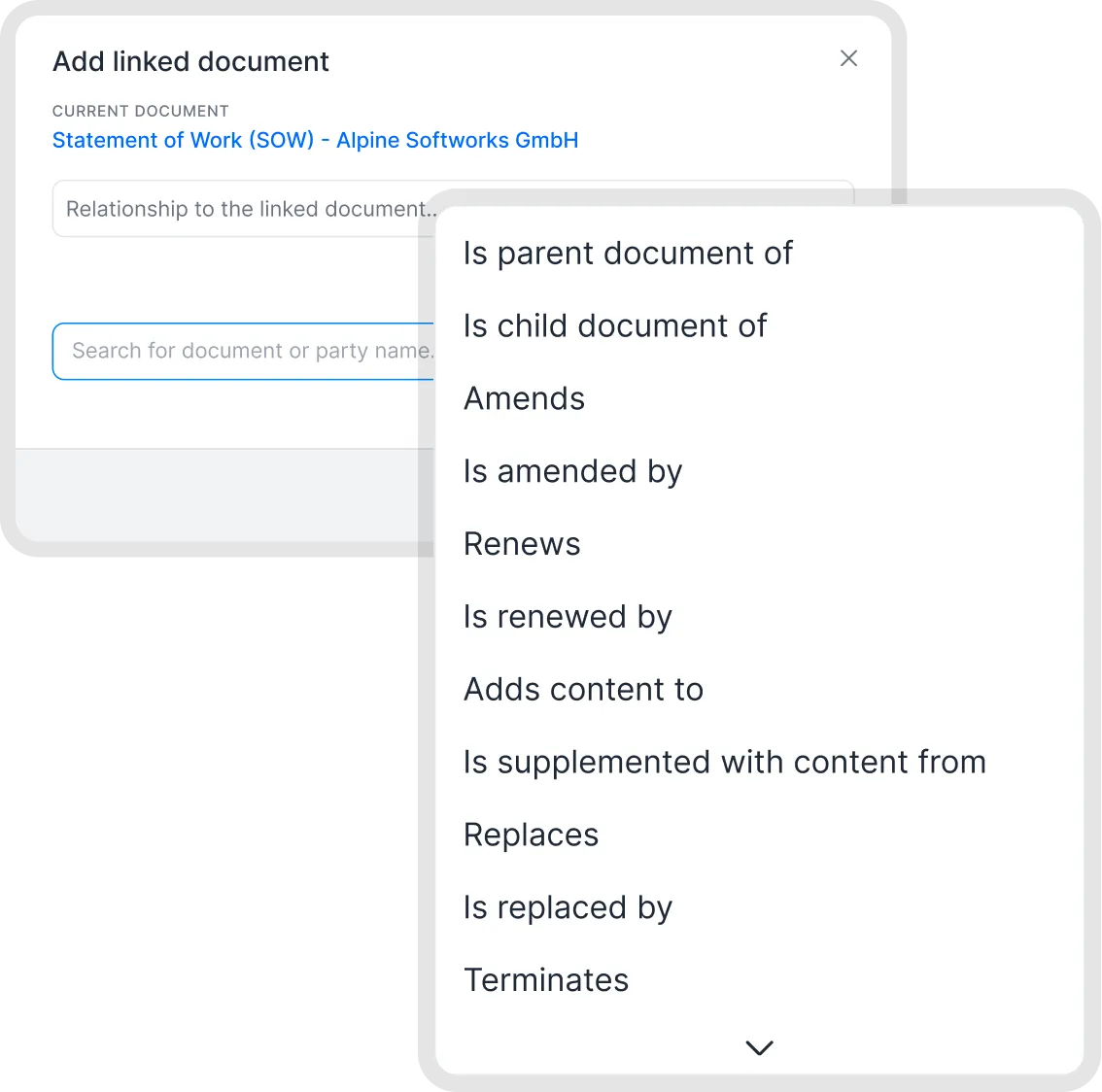
Link related documents.
Find documents quickly
Use Favorites and Recents in the sidebar for documents and templates you open often.
Use search for names, numbers and phrases inside your contracts. See Search and AI search.
Good to know
Set up teams and document types before a large import. You can assign a team and tags to a whole import at once.
Keep the number of tags small. Twenty well-chosen tags are easier to use than two hundred.
You can change teams and tags for many documents at once with bulk actions in the document list.
Related articles
Was this helpful?
Still need help? Ask the team